
29.07.2026
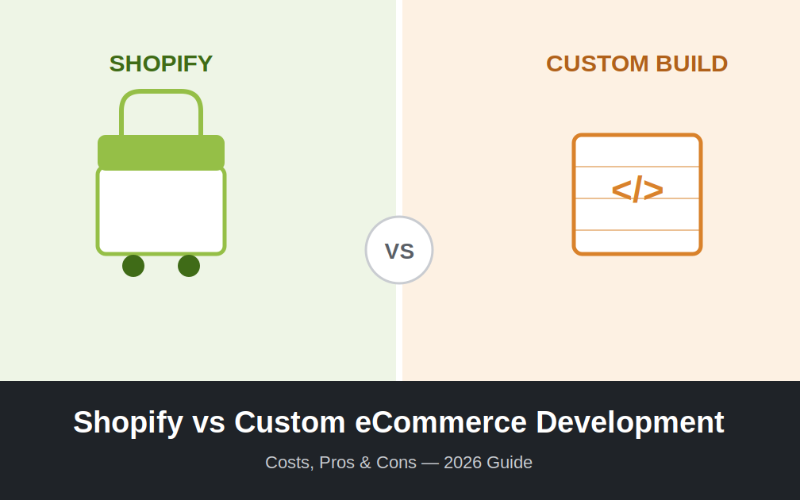
Choosing how to build your online store is one of the biggest decisions you'll make as an eCommerce business owner. Go with Shopify and you get speed, simplicity, and a proven ecosystem. Go custom and you get complete control, no platform limits, and a store built exactly around your business — but at a higher upfront cost.
This guide breaks down the real costs, pros, and cons of each approach so you can make the right call for your business — not just the popular one.
Quick Answer
- Choose Shopify if you want to launch fast, keep costs predictable, and don't need highly specific functionality.
- Choose custom development if your business has unique workflows, you're scaling fast, or you need full ownership of your platform and data.
Shopify: What You're Actually Paying For
Shopify is a hosted, subscription-based eCommerce platform. You're renting infrastructure, themes, and app integrations rather than owning the codebase.
Shopify Costs
| Item | Typical Range |
|---|---|
| Monthly plan | ₹2,000 – ₹20,000+ (Basic to Advanced/Plus) |
| Theme (premium) | ₹8,000 – ₹25,000 one-time |
| Apps (subscriptions) | ₹2,000 – ₹15,000/month combined |
| Transaction fees | 0.5%–2% (unless using Shopify Payments) |
| Setup/customization by an agency | ₹40,000 – ₹3,00,000+ |
Shopify Pros
- Fast launch — a functional store can go live in days, not months.
- Built-in hosting and security — no server management, SSL, or uptime worries.
- Large app ecosystem — plugins exist for almost any feature (reviews, subscriptions, loyalty programs).
- Reliable at scale — handles traffic spikes (sales, festivals) without engineering effort on your end.
- Lower technical maintenance — updates and patches are handled by Shopify.
Shopify Cons
- Recurring costs compound — plan + apps + transaction fees add up monthly, indefinitely.
- Platform limitations — deeply custom checkout flows, unique product configurators, or non-standard business logic can be difficult or impossible without expensive workarounds.
- You don't own the platform — you're building on Shopify's infrastructure, subject to their pricing changes and policies.
- App dependency — stacking multiple third-party apps can slow your site and create conflicts.
Custom eCommerce Development: What You're Actually Paying For
Custom development means building your store on a framework (like a headless setup with Next.js, Laravel, or a tailored stack) designed specifically around your business requirements.
Custom Development Costs
| Item | Typical Range |
|---|---|
| Discovery & planning | ₹20,000 – ₹80,000 |
| Design & development | ₹1,50,000 – ₹15,00,000+ (depends on complexity) |
| Hosting & infrastructure | ₹3,000 – ₹25,000/month |
| Ongoing maintenance | ₹15,000 – ₹1,00,000+/month |
| Third-party integrations (payment, ERP, CRM) | Varies by scope |
Custom Development Pros
- No platform limitations — build exactly the checkout, product logic, or customer flow your business needs.
- Full ownership — your codebase, your data, no dependency on a third-party's roadmap or pricing decisions.
- Better long-term economics at scale — no per-transaction fees or growing app-subscription stack once built.
- Easier deep integrations — connecting to internal ERPs, custom inventory systems, or proprietary tools is far more flexible.
- Performance control — you can optimize speed and UX without fighting a platform's constraints.
Custom Development Cons
- Higher upfront investment — both in cost and time (typically 2–6 months to launch).
- You own the maintenance burden — security patches, hosting, and updates are your (or your agency's) responsibility.
- Requires an experienced development partner — quality varies significantly depending on who builds it.
- Slower to launch — not ideal if you need to be selling online within days.
Shopify vs Custom: Side-by-Side
| Factor | Shopify | Custom Development |
|---|---|---|
| Time to launch | 1–3 weeks | 2–6 months |
| Upfront cost | Low | Medium–High |
| Long-term cost (at scale) | Grows with apps/fees | Stabilizes after build |
| Flexibility | Limited by platform | Unlimited |
| Ownership | Platform-dependent | Full ownership |
| Maintenance effort | Low | Higher |
| Best for | New stores, standard catalogs, fast launch | Complex workflows, high-scale brands, unique UX needs |
Which Should You Choose?
Pick Shopify if:
- You're launching your first store and need to validate demand quickly.
- Your product catalog and checkout needs are fairly standard.
- You want predictable monthly costs and minimal technical overhead.
Pick custom development if:
- You're already doing significant volume and app/transaction fees are eating into margins.
- You need integrations Shopify can't handle cleanly (custom ERPs, B2B pricing logic, unique configurators).
- Your brand's UX is a core differentiator and off-the-shelf themes can't deliver it.
A third option worth knowing about: headless commerce — using Shopify (or another platform) purely as a backend while building a fully custom frontend. This gives you Shopify's reliable checkout and inventory management with the design freedom of custom development, often at a middle-ground cost.
Final Thoughts
There's no universally "better" option — only the one that fits your stage of business. Early-stage and mid-size stores usually get more value from Shopify's speed and simplicity. Businesses with complex operations or ambitious scale plans tend to outgrow platform limitations and benefit from custom development.
If you're unsure which path fits your business, it's worth getting a professional assessment before committing budget either way — the wrong choice at this stage is expensive to reverse later.
Need help deciding? Markup Solution builds fully custom eCommerce platforms — get in touch for a free consultation on the right approach for your business.